Dark/Light mode
This guide describes how to set up Dark/Light mode.
- Open
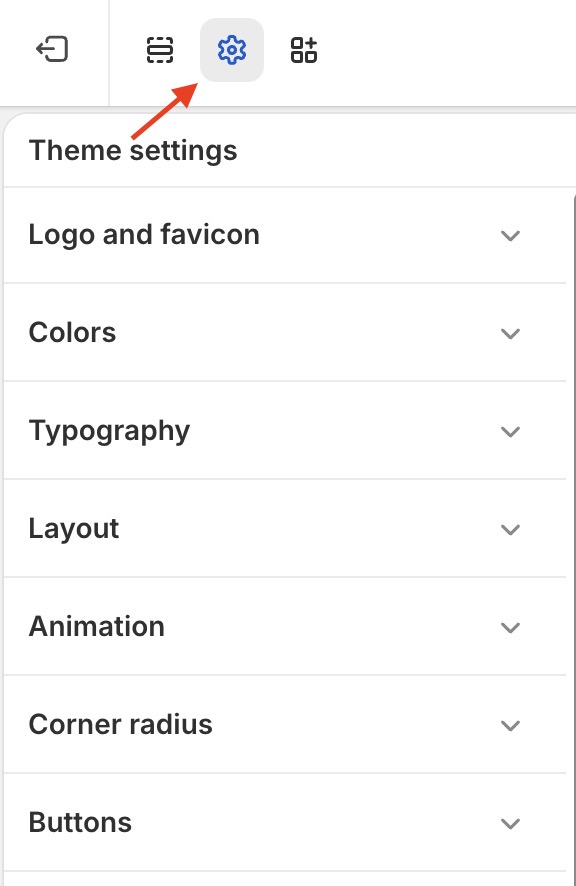
Theme Settingsin theCurrent theme: view Theme Settings
- Open
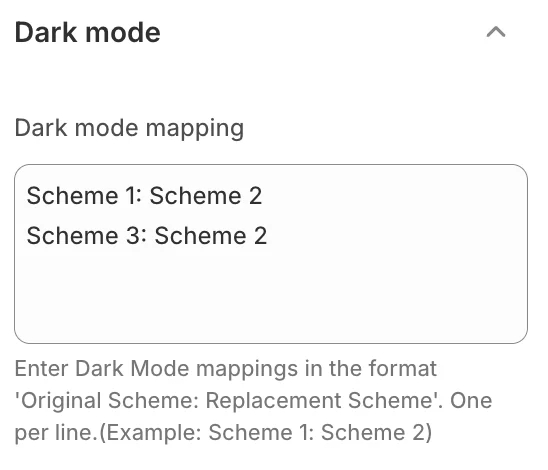
Dark modetab in theTheme Settings: view Dark mode settings
- In the
Dark mode mappingfield, enter the color scheme in the format:Light color scheme: Dark color scheme. To list multiple color schemes, press Enter to move to the next line.
For example, based on the image above:
- Light color scheme: Scheme 1, Scheme 3
- Dark color scheme: Scheme 2
=> When you click the Dark/Light button to switch to dark mode, the sections that use the color schemes Scheme 1, Scheme 3 will switch to using the color scheme of Scheme 2.